

Stores
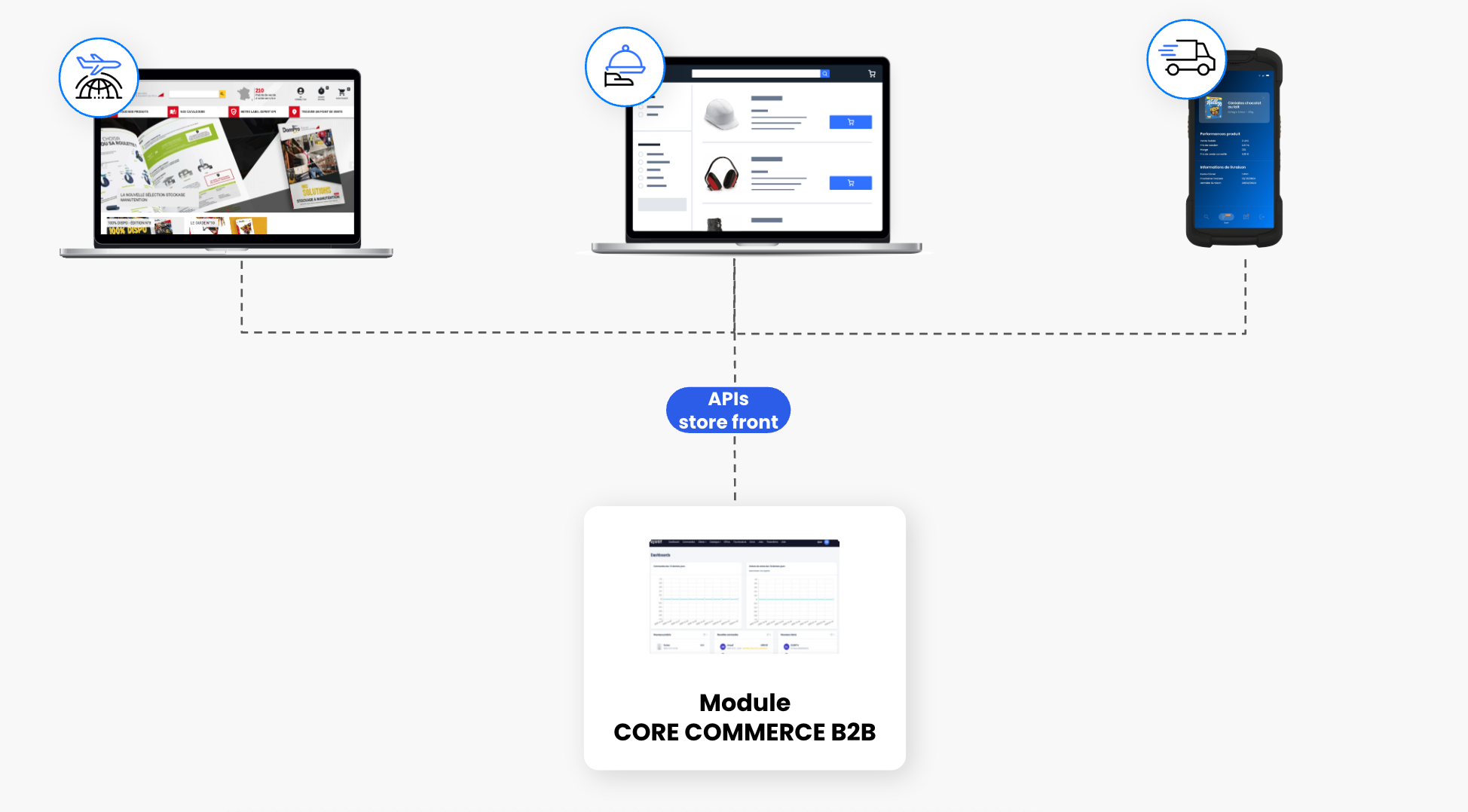
A store represents a subset of the DJUST platform that enables the management of multiple e-commerce sites or commercial divisions independently from a single back office.
It is used to segment products, users, and offers based on specific criteria.
A store can be used to manage:
- Different business entities (e.g., distinct brands, countries, or regions).
- Different customer personas (e.g., premium vs. basic, independents vs. retail chains).
Key Characteristics
- Your platform must be configured in multi-store mode in order to create and manage multiple stores.
- Each store is identified by a unique ID and has its own set of configuration parameters.
- A store allows you to:
- Customize the user experience based on commercial or regional context.
- Separate stock and offers based on defined rules (e.g., one store per country).
- Filter products and offers according to access rights and the organizational structure.
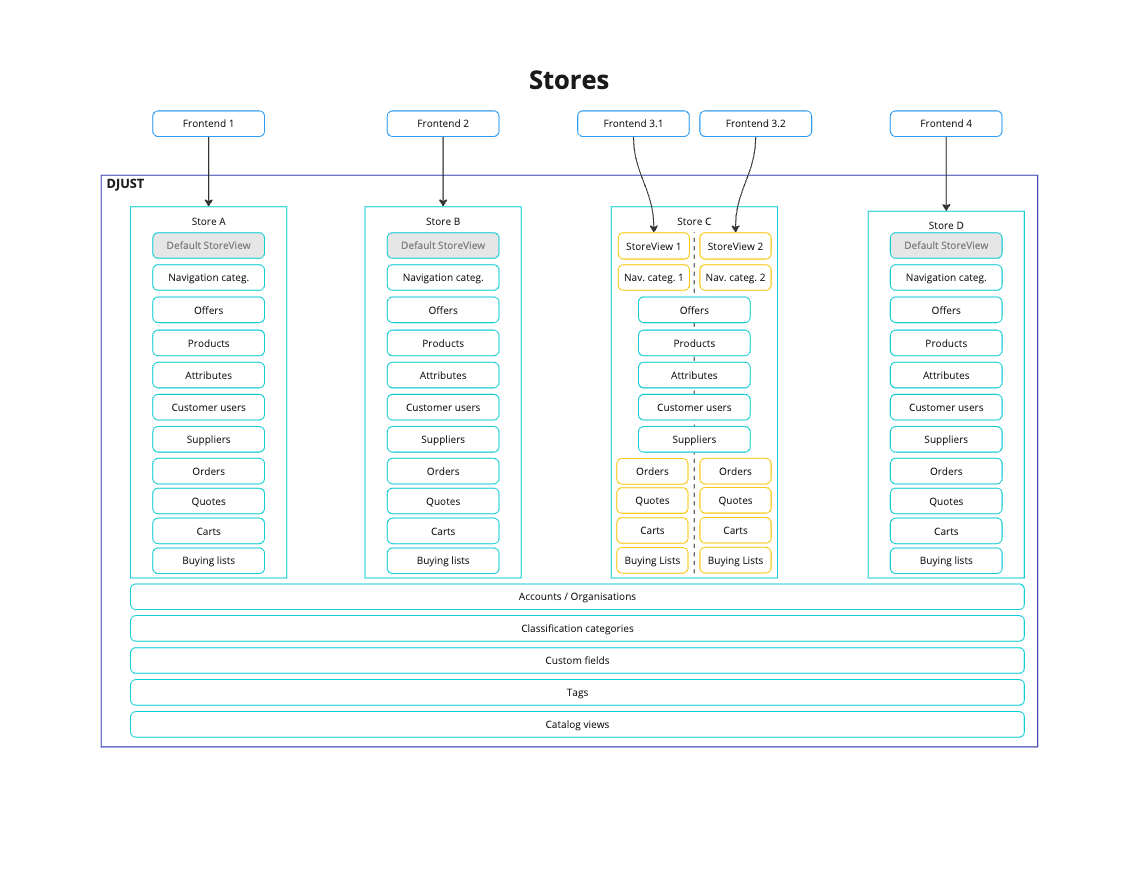
Some elements are shared across all stores, while others are store-specific:
Reading a store through the API
The detail of a store is read with STORE-500 (GET /v1/shop/stores/{storeId}). The response returns, in a single call, the whole configuration of the store: its identifiers, its activation status, its locales (storeLocales) and its store views (storeViews).
Store views on the store detail
storeViews lists every store view of the store, active and inactive, each with:
| Field | Description |
|---|---|
id | DJUST identifier of the store view — the value to send in the dj-store-view header |
externalId | External identifier of the store view |
name | Display name of the store view |
active | Whether the store view is active |
A store with no store view returns an empty array.
Note:storeLocalesandstoreViewsare two distinct notions. A locale is a language available on the store; a store view is a browsing context (dj-store-view). Both are returned, and neither replaces the other.
{
  "id": "e1b7f8a2-9c34-4d51-8f10-7a2c6d9e4b33",
  "externalId": "STORE-FR",
  "name": "France",
  "active": true,
  "storeLocales": [
    { "code": "fr_FR", "default": true },
    { "code": "en_US", "default": false }
  ],
  "storeViews": [
    {
      "id": "4c2a91d7-6b08-4f3e-9a55-1d8e72c0b461",
      "externalId": "VIEW-FR-B2B",
      "name": "France B2B",
      "active": true
    },
    {
      "id": "8f5d30b1-27ac-4e69-b0d2-6e94a3f18c57",
      "externalId": "VIEW-FR-B2C",
      "name": "France B2C",
      "active": false
    }
  ]
}
Tip: A front-end can position itsdj-store-viewcontext straight from the store detail, without a second call and without hard-coding store view identifiers.
Listing the stores of the authenticated customer user
A single sign-in page placed in front of several stores needs to know, right after authentication, which stores the customer user belongs to — to open the session directly when there is only one, or to display a selection screen otherwise.
The storefront list route GET /v1/shop/stores (operationId: STORE-550) answers exactly that question.
| Characteristic | Behaviour |
|---|---|
| Client type | dj-client: ACCOUNT only — an OPERATOR or SUPPLIER call is rejected with 403 |
dj-store header | Not required. The route is callable before any store has been chosen. A dj-store sent anyway is ignored and does not alter the list |
| Perimeter | Only the stores the authenticated customer user is attached to, active and inactive |
| No attachment | 200 with an empty list |
| Response | Paginated StoreResponse, storeViews[] included |
Warning: A store of the tenant the customer user is not attached to never appears in the response — even when it is explicitly requested through a filter. The filters narrow the user's own perimeter; they never widen it.
Filtering, sorting and pagination
- Filters — on the activation status, on the DJUST identifiers, or on the
externalIds. Different criteria are combined with a logical AND, several values of the same criterion with a logical OR. - Sorting — on
name,externalIdoractive. Default:name:asc. Invalid sort entries are silently ignored, the valid ones still apply. - Pagination — standard DJUST paginated envelope.
- A
400is returned when the activation filter value or the pagination parameters are malformed.
GET /v1/shop/stores?active=true&sort=name:asc&page=0&size=20
dj-client: ACCOUNT
dj-api-key: <your-api-key>{
"content": [
{
"id": "e1b7f8a2-9c34-4d51-8f10-7a2c6d9e4b33",
"externalId": "STORE-FR",
"name": "France",
"active": true,
"storeLocales": [{ "code": "fr_FR", "default": true }],
"storeViews": [
{
"id": "4c2a91d7-6b08-4f3e-9a55-1d8e72c0b461",
"externalId": "VIEW-FR-B2B",
"name": "France B2B",
"active": true
}
]
},
{
"id": "b93c71e4-08af-42d6-91cc-5a0f3d8e2617",
"externalId": "STORE-BE",
"name": "Belgium",
"active": true,
"storeLocales": [{ "code": "fr_BE", "default": true }],
"storeViews": []
}
],
"totalElements": 2,
"totalPages": 1,
"number": 0,
"size": 20,
"first": true,
"last": true,
"empty": false
}Post-login store resolution
flowchart LR
  %% Styles (Readme)
  classDef create   fill:#e8f1ff,stroke:#2f6feb,stroke-width:2px,color:#0b3d91;
  classDef read     fill:#ede9fe,stroke:#7c3aed,stroke-width:2px,color:#1e1b4b;
  classDef update   fill:#e0f7fa,stroke:#06b6d4,stroke-width:2px,color:#0c4a6e;
  classDef add      fill:#ecfdf5,stroke:#10b981,stroke-width:2px,color:#064e3b;
  classDef remove   fill:#fee2e2,stroke:#ef4444,stroke-width:2px,color:#7f1d1d;
  classDef decision fill:#fff4e5,stroke:#f59e0b,stroke-width:2px,color:#7a3e00;
  classDef place    fill:#dcfce7,stroke:#16a34a,stroke-width:2px,color:#14532d;
  classDef sys      fill:#f2f4f7,stroke:#475569,stroke-width:2px,color:#111827;
  classDef stop     fill:#fee2e2,stroke:#ef4444,stroke-width:2px,color:#7f1d1d;

  A[🔑 Customer user<br>authenticated]:::sys --> B[📘 GET /v1/shop/stores<br>no dj-store header]:::read
  B --> C{How many stores<br>are returned}:::decision
  C -->|Zero| D[⛔ No attachment<br>empty list with 200]:::stop
  C -->|One| E[➕ Set dj-store<br>automatically]:::add
  C -->|Several| F[🧾 Show store<br>selection screen]:::update
  F --> E
  E --> G[📦 Pick a store view<br>from storeViews]:::read
  G --> H[✅ Session opened<br>on the right store]:::place

  style A rx:8,ry:8
  style B rx:8,ry:8
  style C rx:8,ry:8
  style D rx:8,ry:8
  style E rx:8,ry:8
  style F rx:8,ry:8
  style G rx:8,ry:8
  style H rx:8,ry:8
Common mistakes
| Mistake | Symptom | Fix |
|---|---|---|
| Calling the authenticated-user route before choosing a store | 403 | Call GET /v1/shop/stores first — it needs no dj-store |
Sending dj-client: OPERATOR on STORE-550 | 403 | The route is reserved to dj-client: ACCOUNT |
| Expecting a filter to reveal an unattached store | The store is missing from the response | Filters narrow the user's perimeter, they never widen it |
| Treating an empty list as an error | The selection screen breaks | An empty list with 200 means "attached to no store" — handle it as a functional case |
Confusing storeLocales and storeViews | Wrong dj-store-view sent | Locales are languages, store views are browsing contexts |
Custom fields on a store
Custom fields can be attached to the STORE target to extend a store with your own business data (a country code, an ERP reference, a go-live date…).
Their values are consulted and edited directly from the store detail page in the Back-Office, in a dedicated section aligned with the one already available on accounts, users, suppliers, offers, orders and quotes. Each value is presented in the input matching its type: TEXT, LONG_TEXT, DATE, BOOLEAN, NUMBER, LIST_TEXT.
Behaviour to keep in mind:
- Clearing a value and saving deletes that value.
- Saving the form without touching the custom fields leaves the existing values untouched.
- If no custom field is configured on the
STOREtarget, the section is not displayed at all. - The rest of the store detail page — general information, store views, locales, tax mode — is unchanged.
On the API side, values are read and written through the customFieldValues field already exposed by the store contract. No dedicated endpoint is needed.
Tip: An integration can keep feeding store custom fields through the API, and an operator can still check or correct a value from the Back-Office without any technical intervention.
See Custom fields for how to create and configure them.
Updated about 2 months ago